
Speed Ninja Keyboard Escape How to Redeem Codes
Free Gift steps for PC and mobile, including case rules and rejoins
Where the Free Gift button sits
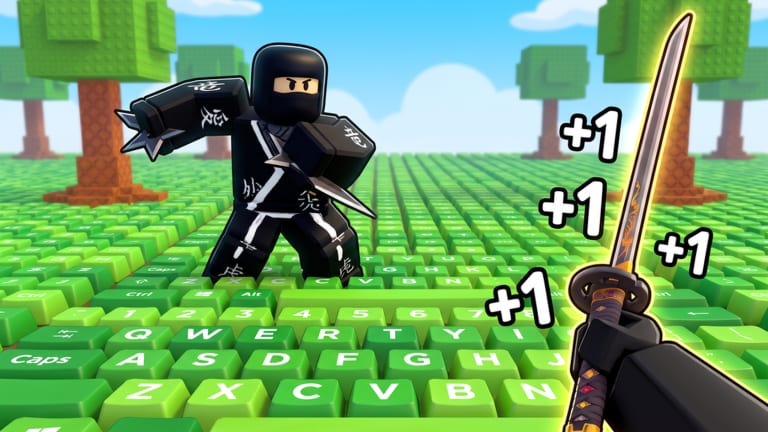
+1 Speed Ninja Keyboard Escape does not use a chat command and does not use the Roblox website redeem box. Codes, if any exist, go through the in-game Free Gift control. That button shares the HUD with Teleport, Shop, Rebirth, and Daily Rewards. On a first join you may need a few seconds for those icons to finish loading before Free Gift is tappable.
This walkthrough is for the ninja keyboard title by Great Developers and Friends — place 90740816183375 on shared 22-player servers. It is not the candy Keyboard Escape map and it is not +1 Speed Ninja Escape. If the lobby looks like candy tiles instead of a giant ninja keyboard, you opened the wrong experience.
As of this page there are 0 confirmed public promo codes. Learn the UI anyway so a later drop takes ten seconds instead of a whole session. The live list stays on the codes hub. Dead strings belong on expired codes.
Step-by-step on PC
- Open the official experience and wait until your ninja can walk. Do not mash Free Gift during the load splash.
- Look at the HUD cluster: Free Gift, Teleport, Shop, Rebirth, Daily Rewards. Click Free Gift.
- Click the text field. Paste the code. Do not type it if you can paste; letter O versus zero is the usual fail.
- Confirm with the redeem / claim control on that same panel. Success should grant Wins, speed, or an item and close or clear the field.
- If nothing happens, wait two seconds, then close and reopen Free Gift. One retry is enough. A second retry will not turn a dead string into a live one.
- If the grant still fails, rejoin a fresh server once. After that, treat the string as invalid and check the expired codes notes.
PC players on a laptop trackpad sometimes click Shop instead of Free Gift. Shop sells VIP (299 Robux), speed passes, trails, and treadmills. That is not the redeem box. If a Robux prompt appears, you are in Shop. Back out.
Step-by-step on mobile
Mobile uses the same five HUD buttons, but they sit closer together and the on-screen keyboard can cover the confirm control.
- Rotate to landscape if the HUD icons overlap your jump button. Portrait still works; it is just easier to miss Free Gift.
- Tap Free Gift, then tap the field so the device keyboard opens.
- Paste from the clipboard. If paste is blocked, type slowly and watch case. Codes are treated as case-sensitive until proven otherwise.
- Dismiss the device keyboard so you can see the redeem button, then tap it. A hidden confirm is the most common “it did nothing” report on phones.
- If the HUD froze, close Roblox fully (swipe it away) and rejoin. A backgrounded mobile session can hold a stale UI after a patch.
Console players follow the PC layout with the controller cursor. Highlight Free Gift, not Daily Rewards. Daily Rewards is the calendar (Day 1 +10 Wins, Day 7 Master Katana). That calendar is worth claiming every login, but it is not a code form. New accounts should still run Getting Started after the first redeem attempt so the rest of the HUD makes sense.
Case, spaces, and stale servers
Assume every code is case-sensitive. Ninja and ninja are different strings. Leading or trailing spaces from a copy on a website will fail. Trim the paste. Do not add punctuation the original did not show.
Rejoin rules:
- Rejoin once after a failed redeem if you joined before a patch or sat AFK on a treadmill for a long session.
- Do not hop ten servers hoping the same dead code “works on a lucky instance.” Codes are account-wide. Server hopping does not create a new grant.
- If Free Gift itself is missing, you loaded a broken client. Full restart, then a new server. If the button is still gone, wait; do not install a third-party menu that claims to “fix codes.”
Event title tags such as X125 speed or X3 trophies are not codes. They are multipliers on the live experience name. You do not paste them into Free Gift. If you want the event window, stay in a populated server and play; see admin abuse for how those windows usually behave.
What a success looks like versus a fail
A real grant changes an on-screen currency or adds an item you can see in Shop / katana lists. If Wins did not move, your trail did not change, and speed did not jump, the code did nothing. Close the panel and go back to walking the keys.
Do not redeem candy-game strings “just in case.” They fail here, they clutter your memory of what you already tried, and they make the codes hub look like it is hiding something. It is not. Group join bonuses and a favorite on the experience are the free extras that actually exist; read group bonuses instead of pasting Discord junk.
After you close Free Gift, spend the next minutes on real progression: claim Daily Rewards, take a rebirth if the button is ready, and follow the speed checklist so the rest of the session compounds. Redeeming is a ten-second task. Farming speed is the game.
Frequently Asked Questions
Quick answers to the most common questions.
Is Free Gift the same as Daily Rewards?
No. Free Gift is the code box. Daily Rewards is the calendar (Day 1 +10 Wins, Day 7 Master Katana). Use both, starting with Daily Rewards.
Do I need to type codes in chat?
No. Chat is not the redeem path. Open Free Gift on the HUD. The codes hub still lists 0 confirmed public strings.
Why did a code fail on mobile but a friend said it worked on PC?
Usually a hidden confirm behind the device keyboard, extra spaces, or the wrong game. Recheck the steps above, then the expired codes signs of a dead string.
Should I rejoin after every redeem?
Only once if the UI looks stale or you sat AFK through a patch. Then return to walking or a treadmill from the treadmills tier list.
Can I redeem on the Roblox website?
No. This title uses the in-game Free Gift panel. After you check it, continue the Getting Started loop.
What if Free Gift is empty?
That matches the public list: zero codes. Close it and run the speed checklist so the rest of the login is not wasted.